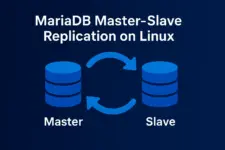
Setting Up MariaDB Master-Slave Replication on Linux
Scale your database performance with real-time data replication
Data loss represents one of the most catastrophic failures any organization can face. MariaDB’s master-slave replication serves as a critical defense mechanism, creating real-time backup copies of your database across multiple servers. This redundancy ensures business continuity when hardware fails, databases become corrupted, or security incidents compromise your primary systems.
Beyond disaster recovery, replication provides immediate operational benefits including isolated backup operations, geographic data distribution for compliance requirements, and performance scaling through read query distribution. This guide demonstrates implementing a replication setup that safeguards your critical data while enhancing system resilience.
Prerequisites
- Two Linux servers with MariaDB installed
- Network connectivity between master and slave servers
- Root or sudo access on both systems
- Basic understanding of MySQL/MariaDB administration
Step 1: Configure the Master Server
Edit MariaDB Configuration
Modify the MariaDB configuration file located at /etc/mysql/mariadb.conf.d/50-server.cnf:
[mysqld]
server-id = 1
log-bin = mysql-bin
bind-address = 0.0.0.0
Restart MariaDB Service
sudo systemctl restart mariadbCreate Replication User
CREATE USER 'replica_user'@'slave_ip_address' IDENTIFIED BY 'strong_password';
GRANT REPLICATION SLAVE ON *.* TO 'replica_user'@'slave_ip_address';
FLUSH PRIVILEGES;
Get Master Status
SHOW MASTER STATUS;Important Note
Record the File and Position values from this output. You’ll need these exact values for the slave configuration.
Step 2: Configure the Slave Server
Edit MariaDB Configuration
Configure the slave server with these settings:
[mysqld]
server-id = 2
relay-log = relay-log-server
read-only = 1
Restart and Configure Replication
sudo systemctl restart mariadbConnect to the slave server and execute:
CHANGE MASTER TO
    MASTER_HOST='master_ip_address',
    MASTER_USER='replica_user',
    MASTER_PASSWORD='strong_password',
    MASTER_LOG_FILE='mysql-bin.000001',
    MASTER_LOG_POS=795;

START SLAVE;
Step 3: Verify Replication
Check Slave Status
SHOW SLAVE STATUS\GSuccess Indicators
Look for these key values:
- Slave_IO_Running: Yes
- Slave_SQL_Running: Yes
- Seconds_Behind_Master: 0 (or low number)
Test Data Replication
On the master server, create test data:
CREATE DATABASE test_repl;
USE test_repl;
CREATE TABLE users (id INT AUTO_INCREMENT PRIMARY KEY, name VARCHAR(50));
INSERT INTO users (name) VALUES ('test user');
On the slave server, verify the data:
USE test_repl;
SELECT * FROM users;
Troubleshooting Common Issues
Connection Problems
- Check firewall settings (port 3306)
- Verify bind-address configuration
- Test network connectivity with telnet
Authentication Errors
- Verify replication user credentials
- Check user host permissions
- Ensure REPLICATION SLAVE privilege
Quick Restart Fix
If replication shows “No” for both IO and SQL threads:
STOP SLAVE;
START SLAVE;
When to Use Master-Slave Replication
Read Scaling
Most common use case. Master handles writes, slaves handle read queries to distribute load across multiple servers.
Disaster Recovery
Basic failover capability. If master fails, you can manually promote a slave to become the new master.
Backup Strategy
Take database backups from slave servers without affecting master performance or user experience.
Geographic Distribution
Place slave servers closer to users in different regions to reduce latency and improve response times.
Reporting/Analytics
Run heavy analytical queries and reports on slave servers without impacting production master performance.
Conclusion
MariaDB master-slave replication provides a solid foundation for database scaling and redundancy. The setup process is straightforward, requiring only configuration file changes and a few SQL commands. Once established, replication operates transparently, automatically synchronizing data from master to slave servers.
Next Steps
- Implement monitoring for replication lag and failures
- Configure application-level read/write splitting
- Explore advanced features like semi-synchronous replication
- Consider proxy solutions like ProxySQL for automatic query routing
Tip: Start with basic master-slave replication, then explore high-availability solutions like clustering and automatic failover as your infrastructure needs grow.